
Features
Every tool in your back office
36 tools in 6 groups. All of them run in a browser, on whatever you already have at the counter. FREE means every plan, with no time limit. PRO means the paid plan: $39 a month, with 30 days free for a new business.
Stamp card and kiosk
The card is the customer’s phone number. No app to download and no paper to lose.
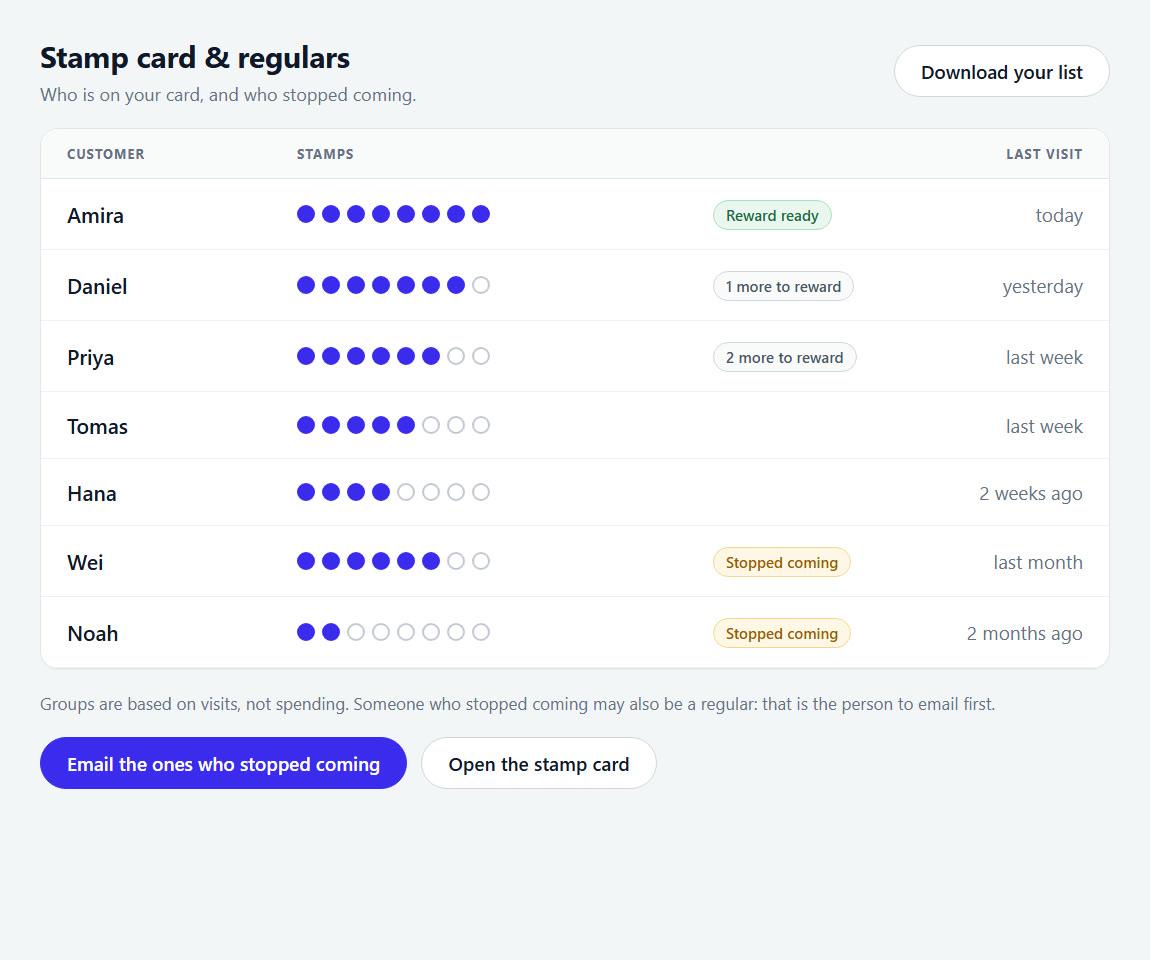
Stamp card & regulars
FREEType a customer’s number and press Give stamps. Or press Ready for the next customer and let them scan the poster. When a card fills, the screen says a reward is ready, and the reward-ready email goes by itself. Below: your regulars, who is slipping away, and Export all customers.
How it worksCounter poster
FREEOne sheet to print and stand by the register. Customers scan its code to join and collect stamps. You set the reward here. It can also carry a code for a Google review and your guest Wi-Fi.
How it worksKiosk
FREEPair any tablet once in Settings and leave it by the register. Customers type their number and collect their stamps, so nobody has to stop during a rush.
How it worksEach customer’s card page
FREEEvery customer gets their own card as a web page: their stamps, the next reward and your offer, with your Google review button under it. They open it from the link in their email.
How it worksCheck-ins
FREEEvery number typed at your kiosk or counter, with when it happened and what followed.
How it works
Google reviews
Ask after a visit, answer every review well, and see how far you are from the shop down the road.
Google review requests
FREEPROFree: 20 a month · PRO: no limit
Paste your Google review link once. After a visit, KANJIN emails the customer to ask for an honest review, with one reminder if they do not click. Then not again for a year.
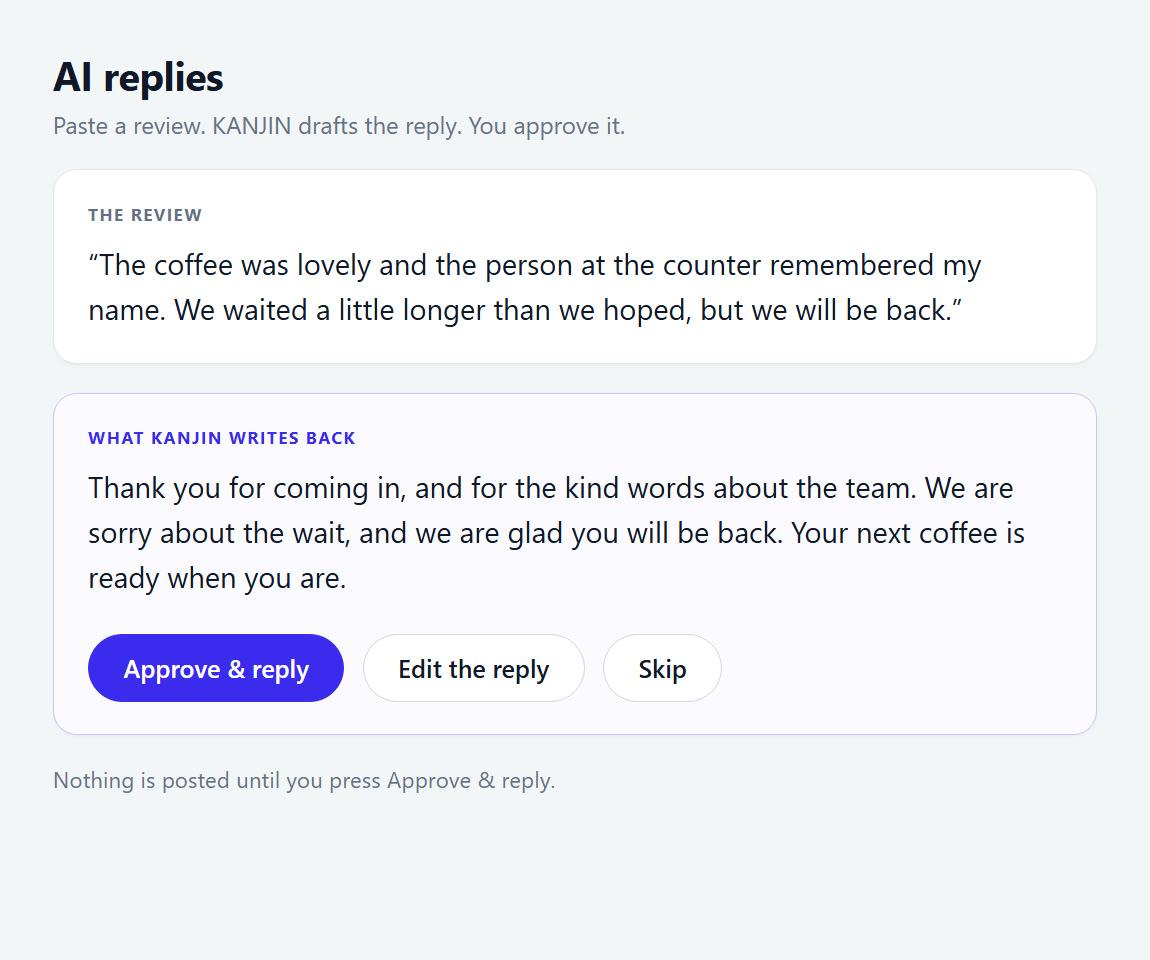
How it worksAI replies
FREEPROFree: 5 a month · PRO: 20 a day
Paste a review and KANJIN drafts a calm, polite reply. You edit it and post it on Google yourself.
How it worksReview tracker
FREEHow many five-star reviews it takes to pass a rival’s rating, and how many weeks that takes at your pace.
How it works
Reaching your customers
Write to the people on your stamp card, or let KANJIN write for you. Every email carries your shop’s address and an unsubscribe link.
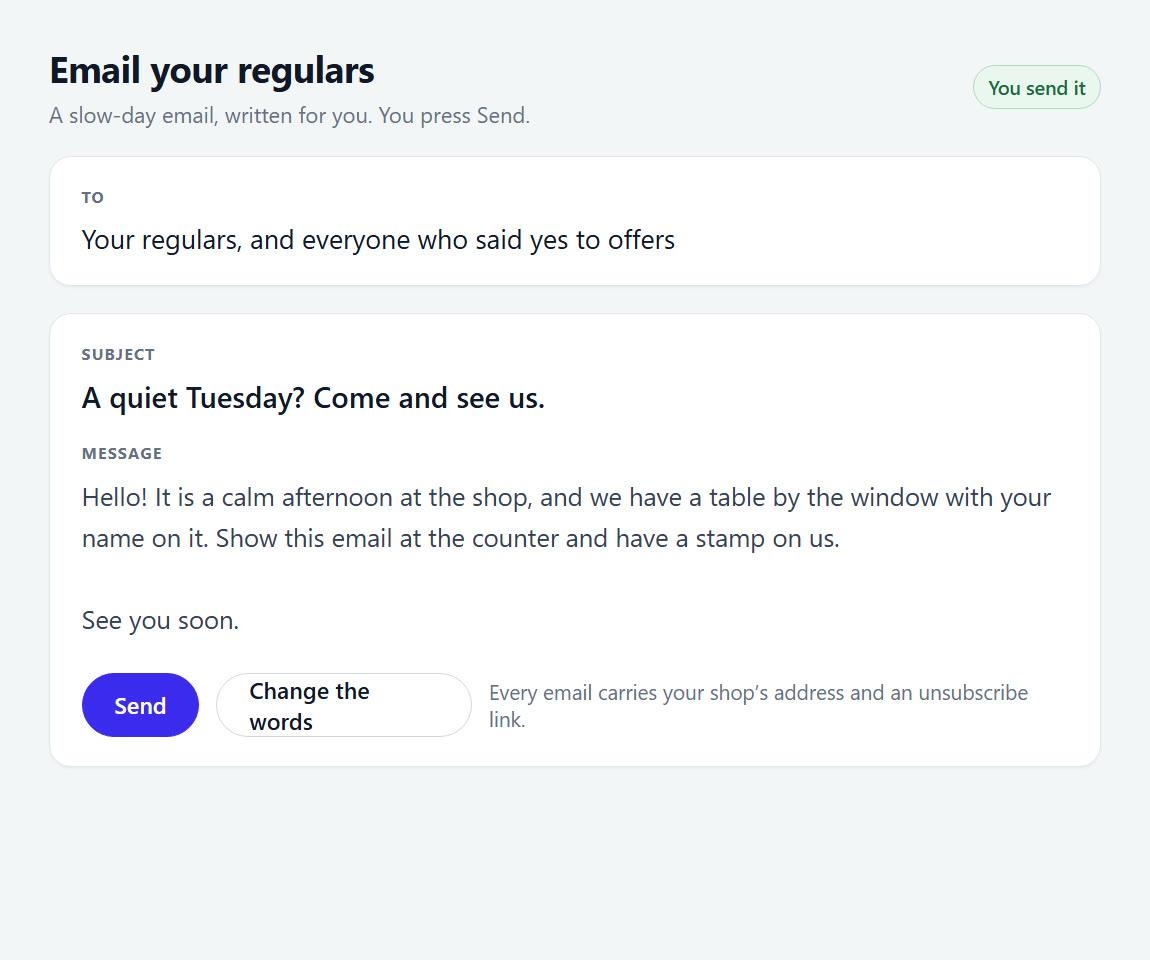
Email your regulars
FREEPROFree: 1 a month to 150 · PRO: 2 a week to 1,000
Write a special, a new dish or new hours. You see the email as it will arrive, then press Send.
How it worksWin-back & birthdays
PROEmails that go by themselves. A “we miss you” email at 6 pm when a regular comes later than usual. A welcome the morning after someone joins. A birthday email. A note when a customer is close to a reward, or has one waiting. Bring a friend gives a stamp to the friend who sent a new customer. Each has its own switch.
How it worksSlow & rainy days
PROThe week’s forecast for your shop. The rainy-day email goes out on its own, in your words. Sent automatically on the first of 3 rainy days, at most once a week. Or pick a wet day and press Send: now, the evening before, or that morning.
How it worksSlow-day email
PROAn empty room? One press emails your list. Send it now, or set it for the morning.
How it worksResults
FREEWhat each email brought back: how many of the people you emailed came in afterwards, and roughly what that was worth at your average sale. An estimate, not a receipt.
How it works
Local creators
Creators who post about places like yours, near your shop, invited by you.
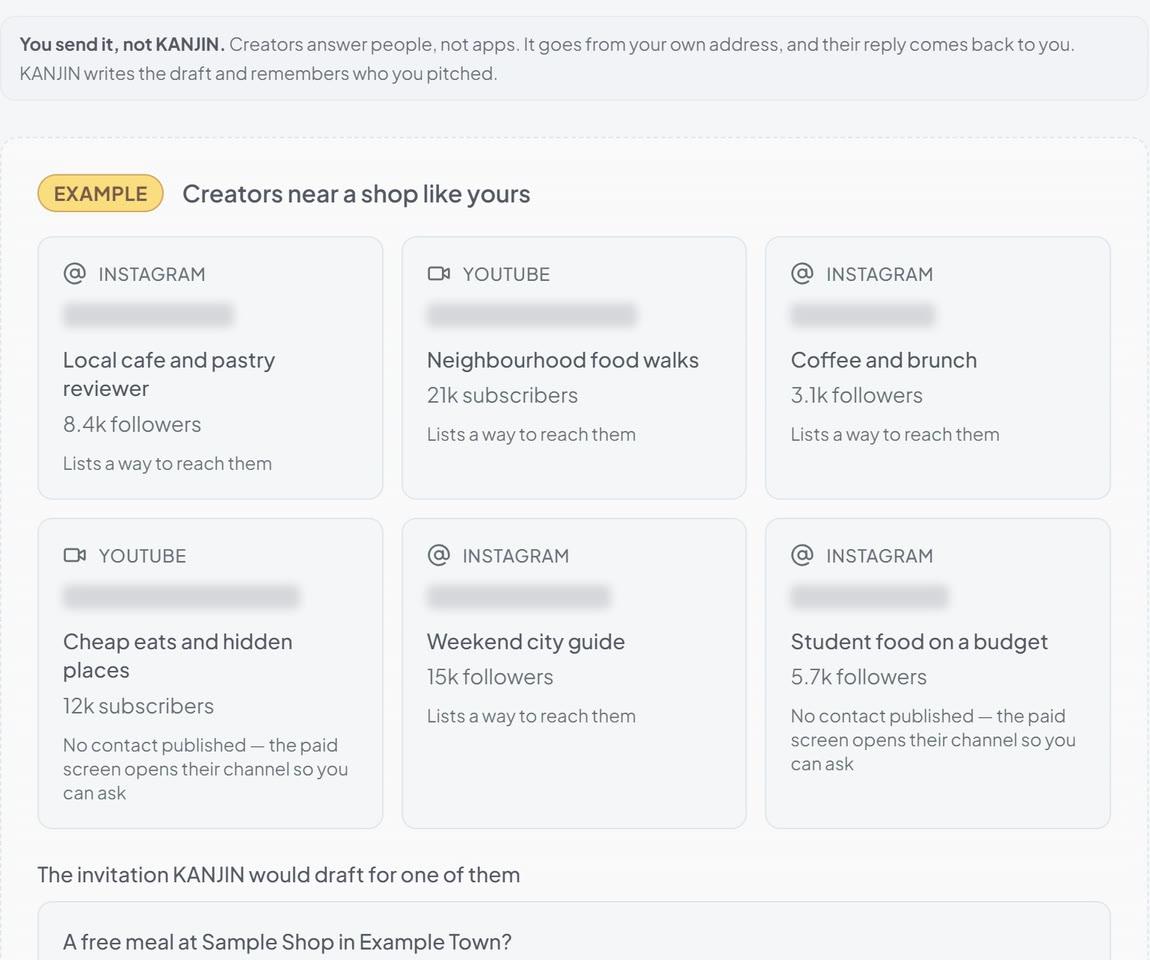
Find local creators
PROSearch by city and trade for Instagram and YouTube creators near your shop. KANJIN drafts the invitation, and you send it from your own email. The Influencers vs. ads calculator on the same screen is free.
How it works
Money: sales, costs, suppliers and profit
Type two numbers a day. The rest is worked out from them.
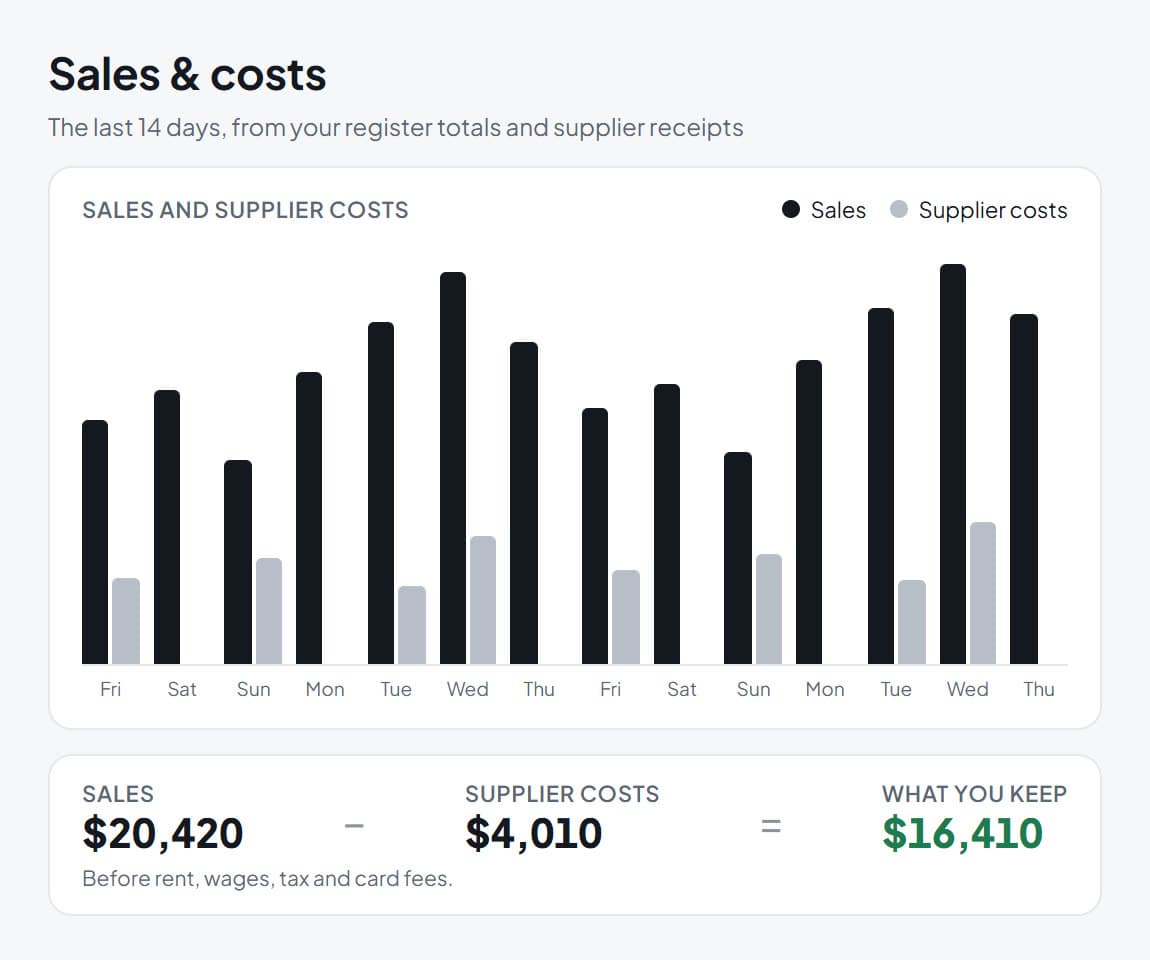
Sales & costs
FREEType the day’s register total and each supplier receipt. See what is left after suppliers, day by day. Print it whenever you like.
How it worksSupplier payments
PROEvery supplier invoice for a week or a month, grouped by supplier, with what is paid and what is still owed. Mark invoices paid. Profit analysis, beside it, shows where the money went by category. Print either for your accountant.
How it worksAnalyze your sales
FREEYour best days, weekdays, month on month and supplier shares, from your ledger, your own CSV files, or your Square sales when Square is connected. Files are read in your browser and never uploaded.
How it worksBreak-even
FREEHow many customers a day you need before you earn anything, and how many to reach the profit you want.
How it worksProfit by item
FREEEvery item on one chart: how much it earns against how often it sells. See what to push, fix or cut.
How it worksLost revenue
FREEWhat your slow weekdays and rainy days cost you in a year, counted from your own stamp card.
How it worksPaying your team
FREECompare an hourly wage, a cut of each sale and chair rent, with one real shift of your own.
How it works
Your shop and your team
Who works here, what they can open, and the settings every other screen reads.
Today
FREEWhere the back office opens. It tells you how yesterday went and offers two or three things worth doing today. Every other screen opens in a panel beside it.
How it worksShop & staff
FREEInvite up to 10 people. Each signs in with their own email, and you choose what each one can open.
How it worksCounter Mode
FREELock a shared tablet to the stamp card, Today and Shift notes. Staff cannot open Manager, your money or your settings. Your Manager PIN switches back to Manager.
How it worksShift notes
FREELeave a note for the next shift and set the hours it shows. Whoever signs in then sees it first.
How it worksToday’s sales
FREEStaff type the day’s net sales into a locked tablet, once you switch it on in Counter Mode. The tablet gets that one box and nothing else from your ledger.
How it worksSupplier invoices
FREEStaff log a supplier invoice from a locked tablet, once you tick it in Settings. They can add a supplier by name, but never rename or delete one, and never mark an invoice paid.
How it worksSettings
FREEYour shop’s details and numbers, typed once and read by every other screen. Square and your data are here too.
How it worksConnect Square
FREEConnect Square in Settings. A payment stamps the card of a customer already on it.
How it worksImport your customers
PROBring your customer list in from Square or a spreadsheet, in Settings. Nobody imported is emailed until they say yes.
How it worksYour logo and colour
PROYour logo and colour on the kiosk and on every customer’s card, set in Settings. The paid plan also takes the “Sent with KANJIN” line off your emails.
How it worksGetting set up
FREEThree steps to a working card: name your shop, choose the reward, and put your QR code at the counter. Then a few more when you have a minute.
How it worksAll shops
FREEEvery shop on your account side by side. An account holds up to 5 shops. The free plan covers one, and each shop after it is on the paid plan.
How it worksYour invitations
FREEIf a shop has asked you to work there, you say yes here.
How it worksSuggest a feature
FREETell us what KANJIN should do next. Anyone at the shop can use it, and a person reads every one.
How it worksYour plan
Start the paid plan, change your card, read your invoices, or cancel.
How it works
Put your stamp card on the counter this week
A discount cuts the price for everyone who would have paid anyway. KANJIN emails your regulars only on the days you need them, and finds local creators you can invite.