
How customers get stamps
Getting their stamps is always 2 simple steps. Pick the scenario that suits your counter best.

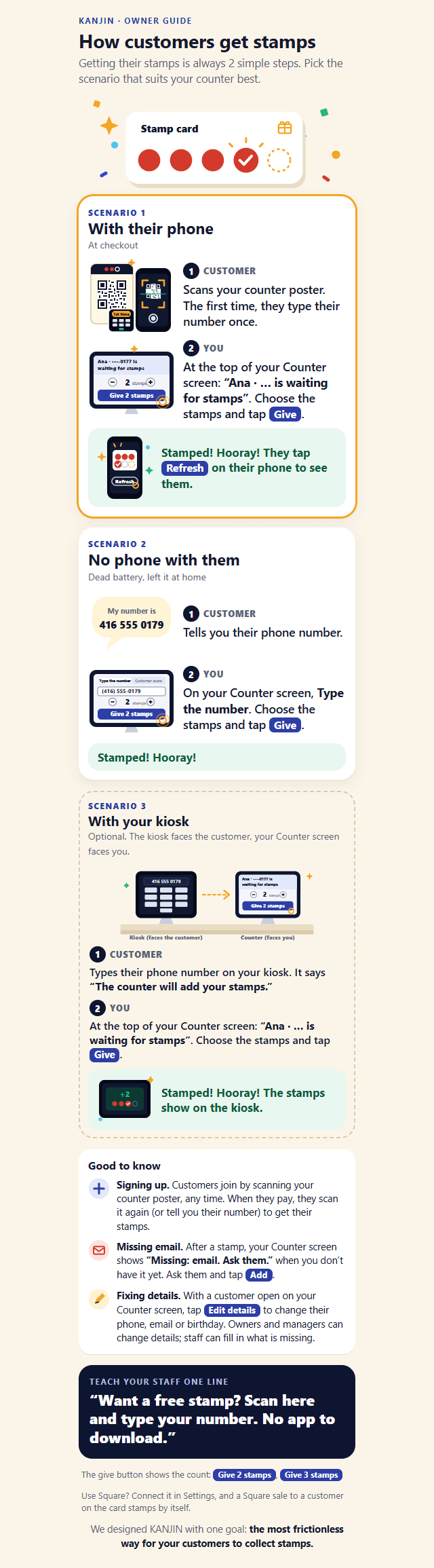
Scenario 1: with their phone, at checkout
- Customer: scans your counter poster. The first time, they type their number once.
- You: at the top of your Counter screen, the customer is waiting for stamps. Choose the stamps and tap Give.
Stamped! They tap Refresh on their phone to see them.
Scenario 2: no phone with them
- Customer: tells you their phone number.
- You: on your Counter screen, Type the number. Choose the stamps and tap Give.
Scenario 3: with your kiosk (optional)
- Customer: types their phone number on your kiosk. It says “The counter will add your stamps.”
- You: at the top of your Counter screen, the customer is waiting for stamps. Choose the stamps and tap Give.
Stamped! The stamps show on the kiosk.
Teach your staff one line
Want a free stamp? Scan here and type your number. No app to download.