
Your shop page
A free page for your shop, with your menu and stamp card
Every KANJIN shop gets one, on every plan. It is on as soon as you sign up. Customers open your link, see your menu and join your stamp card on their phone.
Short answer
Is there a free page for a small shop’s menu and stamp card?
Watch “Your free shop page: menu, links and stamp card” on YouTube
What is on your page
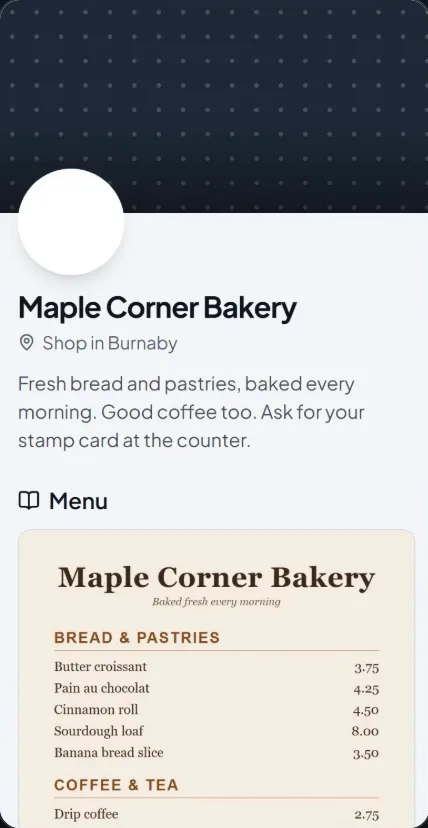
Your name and a few words
Your shop’s name, your town, a top picture or a pattern, and up to 300 characters about your shop.
Your menu
A photo of your menu or price list. Customers press it to see it full size.
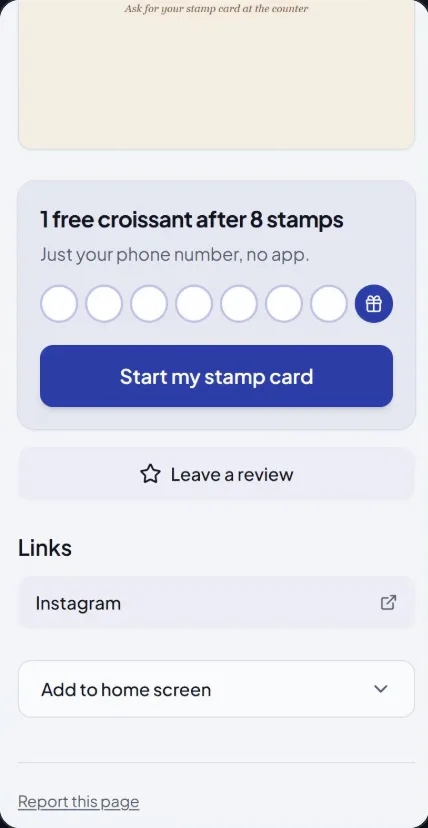
Start my stamp card
The button opens your stamp card sign-up. Customers join with their phone number. No app.
Leave a review
It uses your Google review link, so it shows once you have added that link.
Your links
Up to 5: your website, Instagram, booking or ordering page.
Directions, if you want it
You can turn on a Directions button. It only works with some Google review links (the ones that include your listing’s place ID), so not every page has one.
What customers see
A made-up test shop, shown on a phone. Not a real business.
Your link, your privacy, and turning it off
- Your page is at kanjin.app/shops/<town>/<shop>.
- We show your town, never your street address.
- It is one page, laid out for you. There is nothing to design and no domain to set up.
- You can turn it off any time with Turn off my page. Your link then goes straight to your stamp card sign-up.
On the paid plan
Your own colour, a PDF menu, more menu photos, and Your special (one special pinned at the top of your page, above the menu).
Where to put the link
Your page helps once people can find it. These are the places that work best, in order.
Your Google Business Profile
Paste it in the Website field. In the back office, How? shows the steps and a Copy link button.
A QR code on the counter or in the window
A stand on the counter or a sticker in the window, so people walking past can open your page.
Your Facebook Page
In the website field, or in a pinned post.
Your WhatsApp or LINE greeting
In your WhatsApp Business or LINE greeting or status, so every chat starts with it.
Your Instagram bio
Press Edit profile, then Links, and paste it there.
Questions about the shop page
Is the shop page free?
Yes, on every plan, with no credit card needed. The paid plan adds your own colour, a PDF menu, more menu photos, and Your special.
Do I have to build it?
No. It is on as soon as you sign up. In Grow, open Your shop page, add a few words, a menu photo and your links, and press Save.
Does it show my address?
No. It shows your town, never your street address.
Can Google show my page?
Yes, once your page is complete and in use. Keep Show my page on Google and in the KANJIN shop list switched on (it starts on). Write an intro of a sentence or two, add a top photo or a menu, and have at least one customer get a stamp in the last 30 days. A new page waits about a week before it can be listed. Google decides when it shows a page.
Can I turn it off?
Yes. Press Turn off my page. Your link then goes straight to your stamp card sign-up.
Your page is ready when you are
Sign up free, add a menu photo and your links, and put the link on Google.